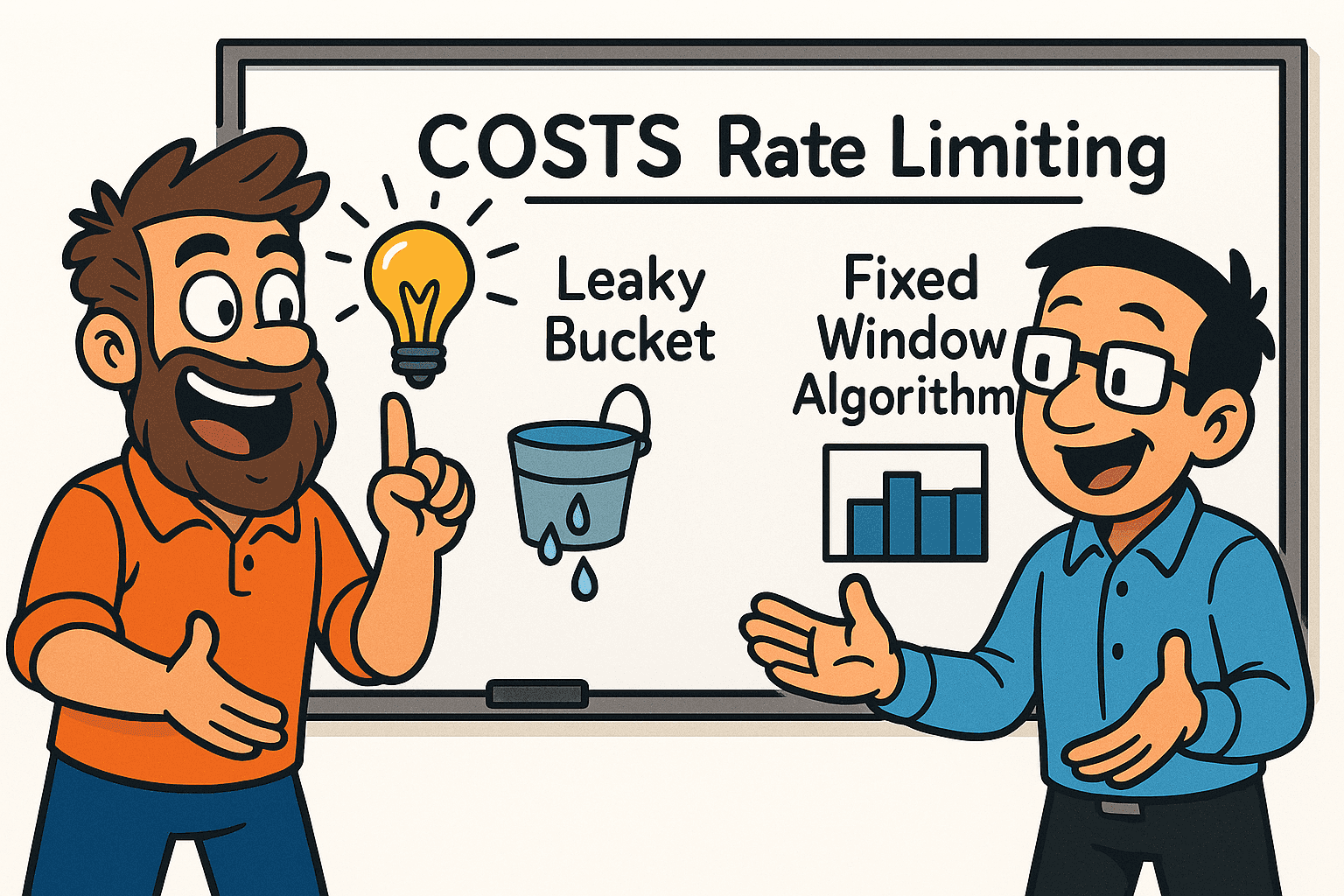
This is Part 2 of the Denial of Wallet series. Part 1 introduced DoW as a distinct failure mode and explained why traditional DoS protections leave your budget exposed (recap: traditional rate limiting protects your infrastructure; cost-aware rate limiting protects your budget; you need both). This post compares four rate limiting algorithms for cost-aware protection, analyzes trade-offs specific to Generative AI workloads, and provides a practical checklist for implementation. Part 3 will deliver a hands-on implementation.
Introduction
You're building an application that uses Generative AI models through an agentic architecture. Your application is exposed to end users via web or mobile interfaces. We will study scenarios where Generative AI model usage is expensive and unpredictable. Cost varies widely based on input size, model used, agent workflow complexity, and the number of tool calls executed. Compare this to traditional web applications where the cost per request is relatively stable. Serving an HTML page or handling a REST API call consumes predictable resources. Even serverless functions have relatively predictable execution time and cost within bounded input ranges.
In GenAI applications, one user request might cost $0.001 (cached response) while another costs $0.50 (multi-step agentic workflow with GPT-4o and multiple tool invocations). Both count as "one request" from a traditional rate limiting perspective. This cost unpredictability makes your application vulnerable to Denial of Wallet attacks. Malicious users (or even curious legitimate users) can exploit cost variability to drive up bills or exhaust budgets. In other words, treating all requests equally (for example, by computing average request cost) is insufficient because the standard deviation of cost per request is very high. Treating all requests equally exposes you to the risk of high bills from an attacker who figures out how to trigger the most expensive requests repeatedly. A key challenge is that exact request costs are only known after LLM responses complete, requiring provisional reservation and true-up accounting.
This post focuses on practical mitigation strategies. You'll learn how to choose the right rate limiting algorithm for your GenAI workload, how to gather the data you need before implementing controls, and how to roll out cost-aware limits safely. Think of this as an Architecture Decision Record (ADR) combined with actionable checklists. By the end, you'll know what questions to ask, what trade-offs to consider, and how to implement cost-aware rate limiting without breaking legitimate user workflows.
Rate Limiting Algorithm Options for Cost-Aware Protection
Let's compare four rate limiting algorithms in the context of cost-aware rate limiting for Generative AI applications, where preventing Denial of Wallet attacks is critical. Each algorithm offers different trade-offs between burst handling, predictability, implementation complexity, and resource overhead.
When evaluating these algorithms, remember that we're throttling cost consumption rather than just request counts. A request that triggers a complex agentic workflow with multiple LLM calls should consume more of the user's quota than a simple cached lookup. The algorithm you choose must support this cost-based accounting while still providing good user experience and operational characteristics.
Note: Terminology To avoid confusion, we use the following terms consistently throughout this post:
- Budget units (or credits): The quota tracked by the rate limiter. For simplicity, we use a 1-to-1 mapping where 1 budget unit = $0.001 (one-tenth of a cent). A $0.50 request consumes 500 budget units.
- Model tokens: The actual tokens processed by the LLM (input tokens + output tokens), as reported by the LLM API. For example, OpenAI's API returns
prompt_tokens,completion_tokens, andtotal_tokensin theusagemetadata.- Cost (USD): The dollar amount charged by the LLM provider, calculated from model tokens using per-model pricing (e.g., $0.15 per 1M input tokens for GPT-4o).
The conversion flow is: model tokens → cost (USD) via pricing catalog → budget units via the 1:0.001 ratio. When we say "a request consumes 500 budget units," we mean it costs $0.50 in USD, regardless of how many model tokens were used.
Token Bucket Algorithm
The Token Bucket algorithm maintains a bucket with a maximum capacity of budget units that refill at a constant rate. Incoming requests consume budget units from the bucket based on their cost (USD), and requests are rejected when insufficient budget units are available. This approach allows variable processing rates and can accommodate short-term traffic bursts (which could be triggered without user's knowledge/intention in agent workflows) while maintaining long-term rate limits.
In a cost-aware context, each request consumes budget units proportional to its cost. A $0.001 request consumes 1 budget unit, while a $0.50 request consumes 500 budget units. The bucket refills at a steady rate (e.g., 1000 budget units per hour = approximately $1/hour budget).
Note on model token consumption: For GenAI applications, you may need dual limiting: request-based (requests per second) and model token-based (model tokens per second consumed by the LLM). Since exact model token counts are often only known post-response, consider pre-request estimation based on prompt length plus hard caps via max_tokens parameter to prevent unbounded generation costs. One technique used in practice is to calculate the cost upfront based on input model tokens, then estimate output model tokens using the max_tokens parameter (provisional reservation), and adjust at the end to reflect actual output model tokens used (correction). In practice:
- Provisional reservation + correction:
- at request start, calculate
estimated_cost_usd = cost_usd(input_model_tokens) + cost_usd(max_tokens_estimate), then convert to budget units:reserve_budget_units = estimated_cost_usd / 0.001- this ensures you don't exceed the budget upfront; - once the response completes, calculate
actual_cost_usd = cost_usd(input_model_tokens) + cost_usd(actual_output_model_tokens), convert toactual_budget_units = actual_cost_usd / 0.001, and refundreserve_budget_units - actual_budget_units- this ensures accurate accounting.
- at request start, calculate
- Per-model pricing: different models have distinct input vs output token prices. Maintain a pricing catalog keyed by model and use model-specific rates when converting model tokens to cost (USD). See also provider docs on rate limits and model-specific quotas, e.g., Anthropic rate limits.
- Formula:
reserve_budget_units = (cost_usd(input_model_tokens) + cost_usd(max_tokens_estimate)) / 0.001;actual_budget_units = (cost_usd(input_model_tokens) + cost_usd(actual_output_model_tokens)) / 0.001. Apply the delta to refund the difference. - Example (assuming GPT-4o pricing: $2.50/1M input tokens, $10.00/1M output tokens):
estimate:
- input_model_tokens: 800
- max_tokens: 300
- estimated_cost_usd = (800 * 2.50/1M) + (300 * 10.00/1M) = $0.002 + $0.003 = $0.005
- reserve_budget_units = 0.005 / 0.001 = 5 budget units

model returns:
- actual_output_model_tokens: 120
- actual_cost_usd = (800 * 2.50/1M) + (120 * 10.00/1M) = $0.002 + $0.0012 = $0.0032
- actual_budget_units = 0.0032 / 0.001 = 3.2 budget units
- refund = 5 - 3.2 = 1.8 budget unitsPros:
- Provides granular control over cost consumption with configurable maximum capacity (budget ceiling) and refill rate (budget replenishment rate)
- Allows legitimate burst traffic to be processed immediately when budget units are available, improving user experience during occasional high-cost operations
- Offers flexibility to adapt to varying traffic patterns and dynamic workload requirements without rejecting expensive requests unnecessarily
- Simple conceptual model that is relatively straightforward to implement and understand, making it easier to explain to stakeholders
- Well-suited for scenarios where users occasionally need to exceed steady-state spending limits (e.g., triggering agentic workflow that requires multiple LLM calls)
Cons:
- Requires careful tuning of bucket capacity and refill rate to prevent DoW attack vectors while still allowing legitimate usage patterns. If done poorly:
- Can be exploited by greedy users who consume all available budget units during bursts, potentially causing cost spikes if bucket capacity is set too high
- May lead to unpredictable monthly cost patterns in Generative AI contexts where accumulated budget units enable sudden resource consumption
- Does not provide strict cost guarantees as accumulated budget units enable users to spend their entire daily budget in minutes if they've been idle
- Requires additional computational overhead for budget unit generation and bucket management operations, though this is typically negligible compared to AI inference costs
When to use: Token Bucket works well when your users have legitimate use cases for occasional bursts above their steady-state rate (know your agentic workflow!). For example, a user might invoke multiple agentic workflows by sending complex, multi-step requests. The burst tolerance makes the system feel responsive rather than artificially constraining legitimate workflows.
Leaky Bucket Algorithm
The Leaky Bucket algorithm queues incoming requests in a fixed-capacity bucket and processes them at a constant rate, like water leaking from a bucket (think of it as a FIFO queue with fixed capacity). Requests exceeding bucket capacity are rejected or delayed. However, for real-time applications like chat interfaces, delaying requests may not make sense, so rejection is preferred. This enforces a steady, predictable output rate regardless of input traffic variability.
In cost-aware implementations, the "leak rate" represents the steady cost budget consumption rate. This smooths cost consumption over time.
Pros:
- Ensures constant, predictable cost consumption rate that directly translates to predictable monthly bills for AI applications
- Smooths out bursty traffic patterns by enforcing steady processing, preventing sudden cost spikes that trigger finance alerts
- Provides straightforward behavior that is easier to maintain and debug compared to more complex algorithms
- Helps mitigate both Denial of Service and Denial of Wallet attacks through strict rate enforcement at the cost dimension (assuming we can estimate LLM output model tokens reliably)
- Ensures fair resource distribution when implemented with per-user (or per-tenant) queues; each queue processes requests in FIFO order, preventing any single user from dominating the shared budget. Note: a single global queue can cause head-of-line blocking where one noisy user starves others
- Excellent for aligning technical cost controls with financial planning cycles (e.g., $X per hour leak rate = $24X per day budget)
Cons:
- Limited flexibility in adjusting to legitimate traffic pattern variations or seasonal demand without manual intervention
- Cannot quickly process small bursts of legitimate requests that exceed the constant leak rate, potentially frustrating users
- Requires additional computational overhead to manage the request queue and timing mechanisms
- May struggle to handle very short-lived bursts that exceed bucket capacity, leading to request rejections for legitimate use cases
- Strictly enforces rate limits which can negatively affect user experience during legitimate usage spikes (e.g., urgent batch processing)
- Choosing optimal bucket size (queue depth) and leak rate parameters can be complex and requires understanding usage patterns
When to use: Leaky Bucket is ideal when cost predictability is paramount. For example, if your AI workflow runs in a background or asynchronous manner where strict cost controls are necessary, Leaky Bucket provides the tightest cost controls. The trade-off is reduced flexibility for users, so it does not suit scenarios where users interact with the system in real time and expect responsiveness (for example, via chat interfaces).
Fixed Window Algorithm
The Fixed Window algorithm divides time into fixed intervals (windows) and limits requests to a specific cost budget per window. When the budget is exceeded, requests are rejected until the next window begins. This approach provides simple, time-based rate limiting with minimal state tracking.
In a cost-aware implementation, each window has a cost budget (e.g., $10 per hour). Requests consume budget from the current window. When the budget is exhausted, subsequent requests are rejected until the window resets.
Pros:
- Extremely simple to implement with minimal computational and memory overhead, reducing operational complexity
- Provides clear, predictable cost windows that align well with billing cycles for AI APIs (hourly, daily, monthly)
- Low resource consumption makes it suitable for high-scale distributed systems handling millions of users
- Easy to reason about and debug due to straightforward window reset logic, simplifying troubleshooting
- Good performance characteristics for stable, consistent traffic patterns with predictable user behavior
- Can be implemented efficiently in distributed systems using simple counters in Redis or similar key-value stores
Cons:
- Suffers from boundary burst problem where users can make 2x budget requests by timing requests at window edges (e.g., $10 at 09:59 and $10 at 10:01)
- Can lead to unpredictable cost spikes when traffic concentrates at window boundaries, defeating the purpose of cost controls
- Not well-suited for variable or bursty traffic patterns (common in production GenAI environments)
- Window reset behavior can create sudden availability changes that impact user experience (budget available → budget unavailable at window boundary)
- Ineffective at preventing DoW attacks that exploit window boundary vulnerabilities through coordinated timing
When to use: Fixed Window is appropriate when simplicity and operational efficiency are priorities and your usage patterns are relatively stable. It's a good starting point for MVPs or internal tools where the boundary burst problem is acceptable. However, once you identify real usage patterns, you may need to migrate to a more sophisticated algorithm to prevent DoW attacks effectively.
Sliding Window Algorithm
The Sliding Window algorithm maintains a continuously moving time window and tracks requests within that rolling interval, providing more accurate rate limiting than fixed windows. The classic implementation (Sliding Window Log) tracks individual request timestamps and costs. The memory-optimized variant (Sliding Window Counter) uses weighted counts from fixed windows to reduce memory overhead while approximating the sliding behavior.
In cost-aware implementations, the sliding window tracks total cost consumed within the rolling time period. Each request's cost is recorded with its timestamp. As time advances, costs outside the window are discarded.
Pros:
- Sliding Window Log fully eliminates boundary burst issues by tracking exact timestamps, providing perfect cost distribution accuracy
- Sliding Window Counter mostly eliminates boundary bursts through weighted approximation while using significantly less memory
- Ensures fairness by continuously monitoring cost consumption rather than resetting at arbitrary intervals
- Adapts well to varying traffic patterns, making it suitable for unpredictable AI workload demands
- Provides more accurate rate limiting that better prevents DoW attacks compared to fixed windows
- Better user experience through consistent cost enforcement without sudden window resets that surprise users
Cons:
- Significantly more complex to implement, debug, and maintain compared to simpler algorithms, increasing development time
- Sliding Window Log requires substantial memory (O(requests in window) per user) and CPU for timestamp management at scale
- Sliding Window Counter uses approximation that allows small residual boundary bursts (often single-digit percent in practice, depending on window size and weighting scheme)
- Scalability challenges in distributed systems requiring synchronization across multiple nodes to maintain consistency
- Requires more sophisticated infrastructure and state management for production deployment (e.g., sorted sets in Redis for Log variant, atomic counters for Counter variant)
When to use: Sliding Window is a good choice when DoW prevention is critical, you need accurate and fair cost enforcement, and the implementation complexity is justified to protect your budget. Use the memory-optimized variant (Sliding Window Counter) for large-scale deployments.
Selection Criteria for Generative AI Applications
When choosing a rate limiting algorithm for cost-aware DoW prevention in Generative AI applications, consider these dimensions:
Cost Predictability How important is it that monthly costs stay within strict bounds? Leaky Bucket and Sliding Window provide better cost predictability than Token Bucket. Fixed Window provides predictability within each window but suffers from boundary bursts.
Burst Tolerance Do your users have legitimate use cases for occasional bursts above steady-state rates? Token Bucket allows controlled bursts. Leaky Bucket strictly enforces steady consumption. Sliding Window and Fixed Window fall in between.
Implementation Resources What engineering resources can you allocate to building and maintaining the rate limiter? Fixed Window offers the simplest implementation. Sliding Window requires the most infrastructure and engineering effort.
Attack Surface How sophisticated are the DoW attack vectors you need to defend against? Sliding Window and Leaky Bucket offer better protection than Fixed Window and Token Bucket. Fixed Window is particularly vulnerable to boundary timing exploits.
Scale Requirements How many users and requests must you support? Fixed Window and memory-optimized Sliding Window Counter scale best. Classic Sliding Window Log has higher memory requirements per user.
User Experience How important is it to maintain smooth, responsive user experience during legitimate usage spikes? Sliding Window and Token Bucket provide smoother user experience than strict enforcement algorithms. Leaky Bucket and Fixed Window can create frustrating rejection patterns.
Recommendation: If implementation complexity is a concern, start with Fixed Window to get cost controls in place quickly. Once you understand your usage patterns better, migrate to more sophisticated algorithms like Sliding Window Counter.
Trade-Offs Analysis: From Theory to Implementation
Choosing the right algorithm is only part of the solution. Before you write any code, you need to understand your system's cost characteristics, usage patterns, and business constraints. This section provides a practical 7-step checklist for implementing cost-aware rate limiting in production GenAI applications.
Think of this as the path from "we need to control costs" to "we have cost-aware rate limiting running in production." Each step builds on the previous one.
Step 1: Build Cost Observability Early
Start tracking cost metrics from day one. Even if you don't have production traffic yet, simulated workloads and exploratory tests provide valuable insights. You cannot protect costs you cannot measure.
Action items:
- Instrument your application to track cost per request. Tag each LLM API call, vector search operation, and expensive computation with its cost.
- Export cost metrics to your observability platform (Prometheus, Datadog, CloudWatch, etc.). Create time-series metrics for:
request_cost_usd(histogram): Distribution of request costs, enabling p50/p95/p99 analysis and anomaly detectiontotal_spend_usd(counter with labels for user/tenant): Monotonically increasing total spend; derive hourly/daily rates via recording rules or range queriesexpensive_operation_count(counter): Count of operations exceeding threshold (e.g., >$0.10)
Why this matters: Without observability, you're flying blind. You won't know if your rate limiter is working. You won't know which users to exempt from strict limits. You won't know when to adjust thresholds. Invest in observability before you invest in controls.
Common pitfall: Tracking only aggregate costs. You need per-operation granularity to identify DoW attack patterns and tune limits appropriately.
Step 2: Measure or Estimate Baseline Costs
When running Generative AI workloads, you likely won't have historical cost data yet. Start by estimating costs based on model pricing and expected usage patterns. Perform synthetic tests to validate your hypotheses. Use cost observability tools to gather real data as soon as possible.
Action items:
- Do not focus on averages alone. Understand the distribution of costs: p50, p90, p95, p99. The long tail matters.
- Create cost profiles for different request types:
- Cached responses: $0.0001 - $0.001
- Simple LLM calls (small prompts): $0.01 - $0.05
- Complex agentic workflows: $0.20 - $0.50
- Batch processing with large documents: $1.00 - $5.00
- Identify the cost distribution across different models, input sizes, and request types. Which operations dominate your spend?
- Run synthetic load tests that simulate different user behaviors. Include both "normal" users and "expensive" users to understand the cost range.
- Document your findings. Create a table like this:
| Operation Type | Avg Cost | p95 Cost | % of Total Requests | % of Total Cost |
|---|---|---|---|---|
| Cached lookup | $0.0001 | $0.0001 | 60% | 1% |
| Simple Q&A | $0.02 | $0.05 | 30% | 10% |
| Agentic workflow | $0.30 | $0.80 | 9% | 45% |
| Batch processing | $2.00 | $8.00 | 1% | 44% |
Why this matters: You cannot set reasonable budgets without understanding baseline costs. The distribution (especially the long tail at p95/p99) determines how much burst capacity to allow. If p95 is 10x the average, Fixed Window or Leaky Bucket might reject too many legitimate requests.
Common pitfall: Optimizing for the average case. In GenAI applications, the p95 and p99 costs often drive your budget exposure. A few expensive requests can dominate total spend.
Step 3: Identify High-Cost Users and Patterns
Once you have cost observability running, invest in exploratory analysis. Query your observability stack to find high-cost users and journeys. Understanding these patterns helps you optimize before implementing strict limits.
Action items:
- Sort users by total spend. Identify the top 10% of spenders. Are they legitimate power users or potential DoW attackers?
- Analyze their request patterns: burst size and frequency, time-of-day and day-of-week effects, model mix (which models are used most), tool-call frequency and patterns, cache hit rates, per-session vs per-user behavior trends
- For each high-cost pattern, ask: Could this be optimized?
- Can we add caching to reduce redundant LLM calls?
- Can we batch requests to improve efficiency?
- Can we use smaller/faster models for certain operations?
- Estimate potential savings and effort required for each optimization. Prioritize low-effort, high-impact optimizations before implementing rate limits.
Why this matters: Rate limiting is a defensive control. Optimization is an offensive strategy. If you can reduce costs through caching, batching, or model selection, you improve both user experience and budget protection. Implement optimizations first, then add rate limiting as a safety net.
Common pitfall: Jumping straight to rate limiting without exploring optimization opportunities. You might throttle legitimate users when the real problem is an inefficient implementation.
Step 4: Define Budgets and Policies
Work with your finance team to translate business requirements into technical budgets. This is not purely an engineering decision. Budgets affect pricing, user experience, and revenue.
Action items:
- Decide on budget dimensions:
- Per-user budgets: Each user gets $X per hour/day/month
- Per-session budgets: Each login session gets $Y total spend
- Per-tenant budgets: Enterprise customers get $Z per month
- Map budgets to product tiers:
- Free tier: $0.50/day ($15/month)
- Pro tier: $5.00/day ($150/month)
- Enterprise tier: Custom limits negotiated per contract
- Set daily and monthly caps as safeguards. Even if your algorithm allows bursts, enforce hard caps to prevent runaway costs.
- Define overage policies:
- Soft limit (warning to user): "You've used 80% of your daily budget"
- Hard limit (request rejection): "Daily budget exceeded. Budget resets in 4 hours."
- Grace period for accidental overages vs. immediate cutoff
Why this matters: Technical controls must align with business policies. If you set budgets too low, you frustrate legitimate users and hurt retention. If you set budgets too high, you fail to prevent DoW attacks. Finance needs to approve these numbers because they directly impact revenue and costs.
Common pitfall: Setting budgets based only on engineering intuition. Involve finance and product teams to ensure budgets align with business model and user expectations.
Step 5: Choose Your Rate Limiting Strategy
Based on the patterns you discovered, your estimates, and your application architecture, choose the most suitable rate limiting algorithm. This is an important architectural decision. Consider writing an Architecture Decision Record (ADR) to document your choice.
Action items:
- Review the algorithm comparison from the previous section (Token Bucket, Leaky Bucket, Fixed Window, Sliding Window).
- Consider trade-offs specific to your context:
- Current infrastructure: Do you already have Redis? Distributed counters? Or are you starting from scratch?
- Scalability needs: Are you handling 100 users or 100,000 users? Memory requirements differ significantly.
- Implementation complexity: Do you have time and resources to build Sliding Window, or do you need Fixed Window to ship quickly?
- Maintenance burden: Who will debug rate limiter issues at 2am? Simpler algorithms are easier to troubleshoot.
- If you're uncertain, start with a simpler algorithm (Fixed Window) and plan to iterate. Ship cost controls quickly, gather data, then migrate to more sophisticated algorithms if needed.
- Document your decision in an ADR:
- Context: What problem are you solving? What constraints do you face?
- Options considered: List 2-3 algorithms you evaluated
- Decision: Which algorithm did you choose and why?
- Consequences: What are the trade-offs? What might you need to revisit later?
- Make the implementation configurable. Use feature flags or configuration files to allow switching algorithms or tuning parameters without code changes.
Why this matters: Rate limiting algorithms have different operational characteristics. A poor choice increases maintenance burden or fails to prevent DoW attacks. Documenting your decision helps future engineers understand the rationale and constraints.
Common pitfall: Over-engineering too early. You don't need perfect rate limiting from day one. You need good-enough rate limiting that protects your budget while you learn about real usage patterns. Iterate, iterate, iterate!
Distributed deployment consideration: If you're running multiple application instances, you'll need centralized rate limiting (for example, Redis with Lua scripts for atomic operations). Local in-memory rate limiters in each instance will drift and fail to enforce global budgets correctly. Part 3 will cover distributed implementation patterns.
Step 6: Extend Observability and Alerting
Once you've chosen an algorithm and defined budgets, extend your observability to monitor rate limiter performance. You need visibility into both cost consumption and rate limiter behavior.
Action items:
- Set up alerts for spending anomalies:
- Total daily spend crosses budget threshold
- Single request costs more than expected (e.g., >$1.00)
- Monitor rate limiter performance metrics:
- Throttle rate: What percentage of requests are being rejected?
- Create dashboards showing:
- Current spend vs. budget (per user and globally)
- Throttled requests over time
- Distribution of request costs
- Integrate cost alerts into your incident response workflow. Finance should be notified of budget overruns, not just engineering.
Why this matters: Rate limiters can fail silently if you don't monitor them. You might think you're protected while costs continue to climb because the rate limiter has a bug or is misconfigured. Observability catches these issues before they become expensive.
Common pitfall: Monitoring only request rejection rates. You also need to monitor budget consumption. A rate limiter that never rejects requests is not protecting your budget.
Step 7: Optionally Start with Read-Only Mode
If you already have production traffic and breaking user experience is a concern, consider starting with a "read-only" or "shadow mode" deployment. Track and log what would be throttled without actually rejecting requests.
Action items:
- Implement rate limiting logic but bypass enforcement. Log throttle decisions: "User X would be throttled for request Y (cost $Z, budget consumed: $A/$B)".
- Run in shadow mode for 1-2 weeks to validate that your cost estimates and budgets are reasonable.
- Analyze the shadow mode logs:
- How many requests would have been throttled?
- Are you throttling legitimate users or catching actual abuse?
- Do you need to adjust budgets or refine cost calculations?
- Adjust thresholds based on real data before switching to enforcement mode.
- Prepare a mechanism for switching to enforcement mode when ready:
- Feature flag controlled by configuration
- Emergency off-switch in case enforcement causes unexpected problems
Why this matters: Turning on rate limiting in production is risky. If your budgets are too low or your cost calculations are wrong, you'll throttle legitimate users and hurt retention. Shadow mode lets you validate assumptions with real traffic before committing to enforcement.
Common pitfall: Skipping shadow mode and going straight to enforcement. This works if you have very high confidence in your cost models and budgets. For most teams, shadow mode reduces risk significantly.
Summary: From Theory to Practice
You now have a framework for implementing cost-aware rate limiting:
- Build observability first: You cannot protect costs you cannot measure
- Understand your cost distribution: Averages can be misleading. Focus on p95 and p99
- Optimize before limiting: Caching and batching reduce costs without throttling users
- Align budgets with business goals: Involve finance and product teams
- Choose an algorithm that fits your constraints: Perfect is the enemy of shipped
- Monitor rate limiter performance: Track both budget consumption and throttle rates
- Use shadow mode to de-risk rollout: Validate assumptions before enforcement
The best rate limiting strategy is the one you actually implement and maintain. Start simple. Gather data. Iterate.
Conclusion: From Theory to Production
You've learned the theory behind cost-aware rate limiting and the practical steps to implement it. Let's recap the key takeaways:
Understanding the problem: Generative AI applications introduce cost unpredictability that traditional rate limiting cannot address. One user request might cost $0.001 while another costs $0.50. Both count as "one request" from a DoS perspective, but they have wildly different budget impacts. Cost-aware rate limiting protects your budget by throttling based on cost consumption, not just request count.
Choosing the right algorithm: Four algorithms offer different trade-offs:
- Token Bucket allows bursts but can lead to cost spikes
- Leaky Bucket provides strict cost predictability at the expense of flexibility
- Fixed Window is simple to implement but vulnerable to boundary exploits
- Sliding Window offers the best DoW protection with higher implementation complexity
Generally - start with Fixed Window and iterate.
Following a practical checklist: Before you write code:
- Build cost observability to measure what you want to protect
- Understand your cost distribution (p95 and p99 matter more than averages)
- Identify high-cost patterns and optimize before limiting
- Define budgets with finance and product teams
- Choose an algorithm that fits your constraints
- Extend observability to monitor rate limiter performance
- Use shadow mode to validate assumptions before enforcement
Gathering data before committing: The most important lesson: gather data and validate your assumptions. Run synthetic tests. Use shadow mode. Understand your users' actual behavior before you throttle them. Rate limiting is a blunt instrument. Cost observability and optimization are your precision tools.
What's Next
This post covers the decision-making framework and practical steps for implementing cost-aware rate limiting. Part 3 of this series will provide a hands-on implementation.
References
- Piyush Garg. "API Rate Limiting Strategies: Token Bucket vs. Leaky Bucket." Eraser.io, April 11, 2024. https://www.eraser.io/decision-node/api-rate-limiting-strategies-token-bucket-vs-leaky-bucket
- "Rate Limiting Algorithms - System Design." GeeksforGeeks. https://www.geeksforgeeks.org/system-design/rate-limiting-algorithms-system-design/
- "Sliding Window Rate Limiting and its Memory-Optimized Variant." RD Blog, February 5, 2024. https://rdiachenko.com/posts/arch/rate-limiting/sliding-window-algorithm/
Agentic architecture note
Assume agentic architecture is an application that consists of multiple LLM calls orchestrated to achieve a goal, such as a multi-step reasoning process.